
Official System Requirements for Windows PC
Built with Unreal Engine 5, Loftia combines stylized solarpunk aesthetics with advanced atmospheric lighting, volumetric cloud layers, and cooperative multiplayer netcode.
Below are the verified official hardware benchmarks required to run Loftia smoothly during Early Access:
| Component | Minimum Specifications (1080p @ 30 FPS) | Recommended Specifications (1080p @ 60 FPS) |
|---|---|---|
| Operating System | Windows 10 / 11 (64-bit) | Windows 10 / 11 (64-bit with latest updates) |
| Processor (CPU) | Intel Core i3-10100F / AMD Ryzen 3 3100 | Intel Core i5-10400 / AMD Ryzen 5 3600 (or better) |
| Memory (RAM) | 8 GB RAM | 16 GB Dual-Channel RAM |
| Graphics Card (GPU) | NVIDIA GeForce GTX 1050 (4GB) / AMD Radeon RX 560 | NVIDIA GeForce GTX 1660 Super / AMD Radeon RX 5600 XT / RTX 2060 |
| DirectX Version | Version 11 | Version 12 (enables improved multi-core asset streaming) |
| Storage Drive | 10 GB available space (HDD supported) | 10 GB available space on NVMe SSD |
| Internet Connection | Broadband Internet connection (persistent online required for multiplayer world sync) | |
macOS & Apple Silicon Hardware Guidelines
Loftia offers first-class support for macOS users without requiring Windows emulators like CrossOver or Parallels:
- Supported Hardware: Apple M1, M1 Pro/Max, M2 series, M3 series, and M4 Macs.
- Minimum OS: macOS 14.0 Sonoma or later.
- Unified Memory: 8 GB unified memory runs comfortably at 1080p Medium settings. For 1440p High settings on Pro/Max chips, 16 GB+ is recommended.
- Metal 3 Acceleration: Utilizes Apple's MetalFX spatial upscaling for crystal-clear render resolution with minimal battery draw on MacBooks.
Steam Deck Performance & Battery Tuning Guide
Playing Loftia on the go? The floating sky islands look breathtaking on both the Steam Deck LCD and OLED screens. Use these settings for the ideal balance between visual clarity and battery longevity:
🔋 Optimal Steam Deck Presets (3.5+ Hours Battery Life)
- Resolution: 1280 × 800 (16:10 Native Fullscreen)
- SteamOS Refresh Rate: Lock to 40 Hz
- SteamOS Frame Rate Limit: Lock to 40 FPS (Provides perceptually smooth frame pacing with ~35% less power consumption than 60 FPS)
- TDP Limit: 9W to 11W
- Volumetric Clouds: Medium (High cloud density causes unnecessary GPU strain near waterfall edges)
- Shadow Quality: Medium
- FSR Up-scaling: Set in-game Render Scale to 90% with Sharpness set to 3
Motion Sickness & Camera Comfort Settings
Because Loftia features floating skyways, rail grinding, and glider flight above deep cloud chasms, some players sensitive to height or wide-angle motion may experience vertigo. The development team included dedicated accessibility settings:
- Field of View (FOV): Increase from default 75° to 90° to reduce claustrophobic camera zoom during movement.
- Camera Shake: Set to 0% (Disabled) to eliminate screen bobbing while running, harvesting, or riding airships.
- Motion Blur: Turn completely Off for sharper object definition during quick camera rotations.
- Horizon Level Lock: Enable this toggle in Accessibility to keep the cloud horizon anchored even when leaning during glider flight.
First-Time Launch: Shader Compilation Tip
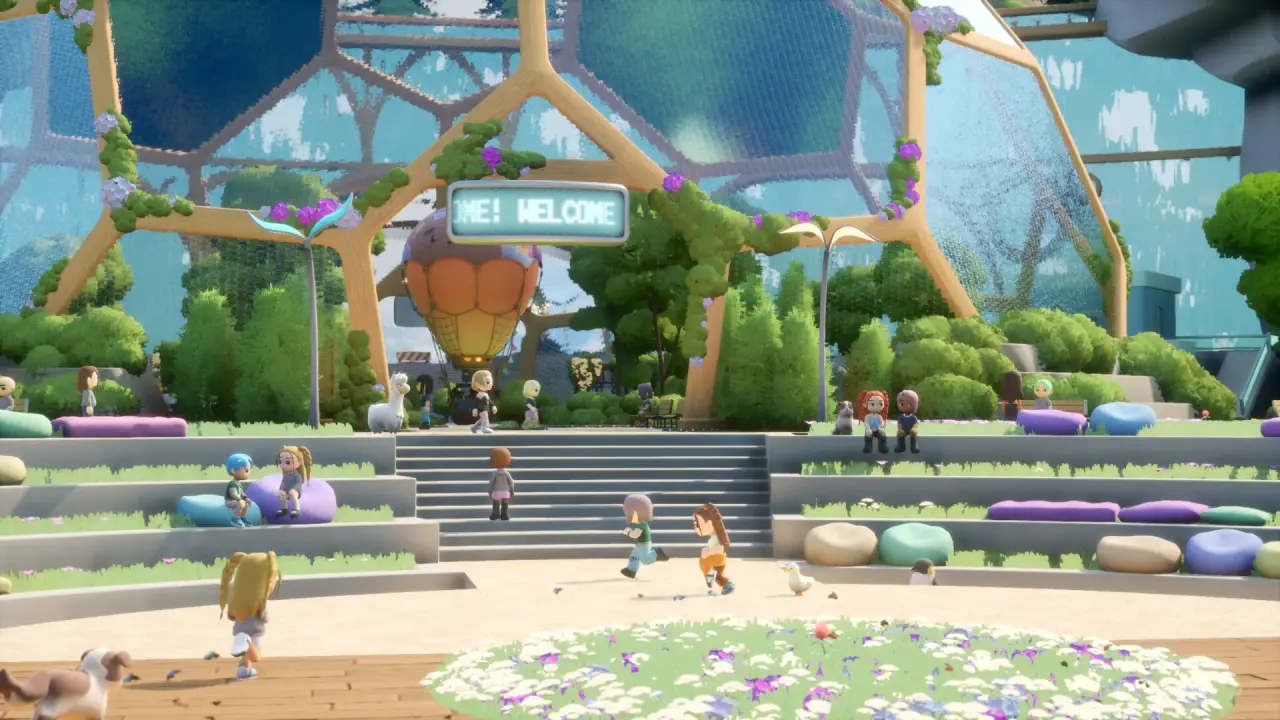
On your initial launch, Loftia compiles local shaders during the main title screen (typically taking 45 to 90 seconds depending on your CPU). Allow this progress bar to complete 100% before clicking "Enter Loftia"—this ensures silky smooth 60 FPS performance without micro-stutters when first entering Central Dome Plaza.
Fact-Checking & Source Transparency
Information in this guide has been cross-referenced with official developer announcements from Qloud Games, the official Loftia website (loftia.gg), and public gameplay balance from beta milestones. If you spot discrepancies or want to suggest new community strategies, please consult our Editorial Policy.